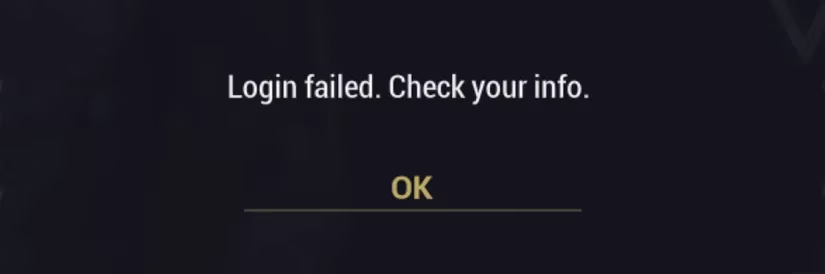
Warframe's login screen can be unforgiving. The message Login Failed - Check Your Info typically appears when a player mistypes their email address or password. Nine times out of ten, that is exactly what happened. However, there are rare occasions when a Tenno enters the correct credentials and still sees the same infuriating warning. In those cases, the problem is not the account; it is a networking issue between the player's system and Warframe's servers. Although uncommon, this bug has been reported by players in Europe and Asia more often than other regions, and it continues to surface in 2026 as Warframe's cross-platform ecosystem grows.

Digital Extremes has acknowledged the issue indirectly through support documentation. The first recommended step is simple: reset the router. Home networks can develop temporary faults, and a router restart is the quickest and easiest fix. If that does not resolve the problem, players can follow the more specific troubleshooting steps suggested by the developer.
Common Fixes for the Login Failed Error
-
Verify credentials first. A surprising number of login failures come from a simple typo. Players should confirm their email address and password before diving into network diagnostics.
-
Reset the router. This clears local network glitches and re-establishes a clean connection to the internet service provider.
-
Check the router firewall. If the router's firewall is active, players should add exceptions for
Launcher.exe,Warframe.x64.exe, andWarframe.exe. These are the core executables that need permission to communicate with Warframe's servers. -
Inspect proxy settings. On Windows, players can open the Control Panel, search for Internet Options, and navigate to the Connections tab, then LAN Settings. Both
automatic configuration scriptandproxy servershould be unchecked. A misconfigured proxy can silently redirect traffic away from the game's authentication servers. -
Reset Internet Options. In the Advanced tab of Internet Options, there is a reset option under Advanced Settings. This action requires a system reboot, but it restores the personal network configuration to its original state. If something has gone screwy on the local network, this reset can undo the damage.
-
Disable VPN or proxy software. Any active VPN or proxy tool can interfere with the login handshake. Players should temporarily disable these programs and try again.
-
Try a free VPN as a last resort. If all else fails, doing the exact opposite can help: download a free VPN service and attempt to access Warframe's servers from a completely different direction.
A structured approach keeps the troubleshooting process manageable. The table below summarizes the most common steps and their purpose.
| Step | Action | Purpose |
|---|---|---|
| 1 | Reset router | Clears local network glitches |
| 2 | Add firewall exceptions | Allows Warframe executables through |
| 3 | Disable proxy settings | Removes misrouted traffic |
| 4 | Reset Internet Options | Restores default network configuration |
| 5 | Disable VPN or proxy software | Eliminates conflicting routes |
| 6 | Try a free VPN | Creates a new encrypted path to servers |
Why a VPN Can Bypass the Bug
A forum post recommends using Spotflux VPN, but most free VPNs will have the important feature players want: web-encryption. By encrypting internet traffic and accessing Warframe's servers from a completely different traffic path, the VPN bypasses whatever is going on between the player and the servers that is preventing access to the game. It is a clever workaround because it changes the route entirely rather than fighting the existing one.
Players should note that web-encryption might be called Incognito Mode or Surf Anonymously, depending on the VPN chosen. The exact label matters less than the function. The goal is to obscure the origin of the connection and force a fresh route to the authentication servers. This can be especially useful when a regional network issue or an ISP-level filter is disrupting the normal path.
Console Players and Final Advice
This solution really only works for PC players. If a Tenno is playing on console, the better option is to contact Warframe Support directly for more information. Console platforms have their own network configurations and certification requirements, so the same VPN workaround may not apply. Support can also check whether the account itself has any flags or restrictions that are causing the login failure.
In 2026, Warframe remains a live-service game with frequent updates, cross-platform play, and a global community. Server-side issues and regional routing problems can still appear, even after years of refinement. When the Login Failed - Check Your Info message appears, players should not panic. The issue is often temporary, and the fixes above have helped many Tenno return to their missions. A methodical approach, starting with the simplest credential check and moving toward network-level solutions, offers the best chance of success. Patience, a router reset, and a willingness to adjust firewall or VPN settings can turn a frustrating login loop into a minor inconvenience. For Tenno in Europe, Asia, or anywhere else, the path back into the Origin System is usually just a few troubleshooting steps away.